- Home Page /
- Software /
- Business & Office /
- Document Management /
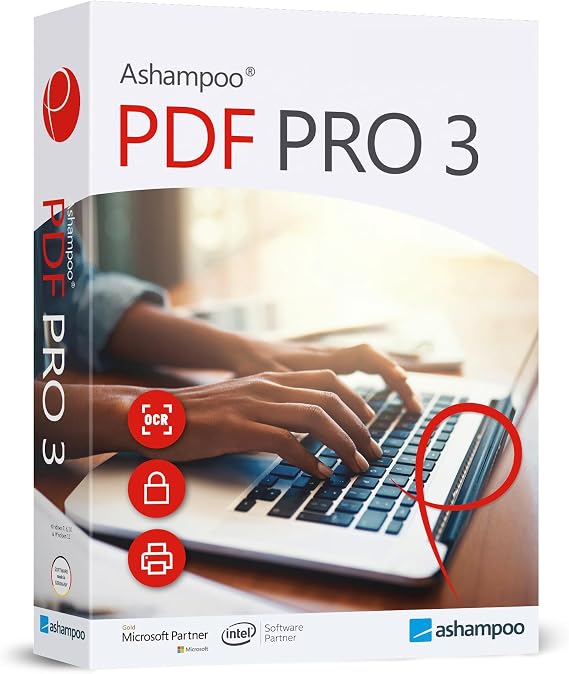
- PDF Pro 3 - PDF editor to create, edit and convert PDFs...
0 ratings

Item #:
47882628
PDF Pro 3 - PDF editor to create, edit and convert PDFs - 100% Compatible with Adobe Acrobat software for Windows 11, 10, 8.1, 7
Item #:
47882628
BND 63
Price Details
Excluding Shipping & Custom charges ( Shipping and custom charges will be calculated on checkout )
*All items will import from US
0 ratings
Write a review
In stock
 Imported from USA store
QTY:
Order now and get it around Tuesday, June 30
Secured transaction
Ubuy works hard to protect your security and privacy. Our advanced payment security system ensures confidentiality by encrypting your information during transmission using AES (Advanced Encryption Standards) and SSL (Secure Socket Layer) protocols. Your payment details are 100% secure as we do not share your payment details with third party sellers.
Our Top Logistics Partners


PDF Pro 3 - PDF editor with OCR engine that can recognize the text of scanned documents and 100% compatible with Adobe Acrobat

Fast
Shipping

Free
Return*

Secure Packaging

100% Original Products

PCI DSS Compliance

ISO 27001 Certified


Note: Step Down Voltage Transformer required for using electronics products of US store (110-120). Recommended power converters Buy Now.


What Stands Out
Adobe Compatibility
Fully compatible with Adobe Acrobat, ensuring seamless file sharing and editing without format loss, making it an excellent choice for professional environments requiring PDF precision.
Comprehensive Editing Tools
Offers extensive editing capabilities, allowing users to create, modify, and convert PDFs effortlessly, which resolves common frustrations faced with limited or complex PDF software.
User-Friendly Interface
Designed with an intuitive interface that simplifies navigation and enhances productivity, enabling both novice and advanced users to efficiently manage their PDF tasks.
Product Details
- Edit text, insert images, and adjust layout easily with PDF Pro 3
- Create and edit interactive forms with a few clicks
- Compare two PDFs side by side for quick document revisions
- Capture any portion of your document with custom formats using the screenshot tool
- Add numbers, texts, and date stamps to files or entire folders with bates numbering
- Seamlessly edit images, find and replace colors, and convert documents with OCR engine
| Country of Origin | This item will be imported from US |
| Item Weight | 1 lbs (450 grams) |
| What is in the box | PDF Pro 3 -... For more details, please check description/product details |
Who Should Buy?

-
Business Professionals
Ideal for professionals needing efficient PDF editing and conversion for reports, contracts, and presentations.
-
Students and Educators
Useful for students requiring tools to annotate, edit, and convert academic resources and assignments.
-
Freelancers
Perfect for freelancers working with clients, allowing easy modifications and sharing of project documents.

-
Casual Users
Not advisable for occasional users who may find the software overly complex for simple tasks.
-
Mac Users
Not suitable for Mac users as the software is exclusively designed for Windows operating systems.
-
Advanced Graphic Designers
May lack the extensive graphic design features needed for professionals focusing on intricate visual projects.
Product Description
PDF Pro 3 - PDF editor to create, edit and convert PDFs - 100% Compatible with Adobe Acrobat software for Windows 11, 10, 8.1, 7
Have any Query? Chat with us
Customer Questions & Answers
-
Question:
What features does PDF Pro 3 offer for editing PDFs?
Answer: PDF Pro 3 offers a robust set of features for editing PDFs, including text editing, image insertion, and page management. Users can easily modify text size and font, add or remove images, and rearrange pages within a document. This allows for a high degree of customization and flexibility when working on PDF files. For instance, if you're preparing a report and need to update statistics or add charts, PDF Pro 3 provides the tools to do so seamlessly, ensuring your document is always current. -
Question:
Can I create PDFs from scratch with PDF Pro 3?
Answer: Yes, PDF Pro 3 enables users to create PDFs from various file formats, including Word, Excel, and PowerPoint. The software's intuitive interface means you can start from a blank page or convert existing documents into PDFs effortlessly. This is particularly useful for professionals who often need to generate reports or proposals. By using PDF Pro 3, you can maintain consistency in formatting and presentation, ensuring your documents look polished from the very start. -
Question:
Is PDF Pro 3 compatible with other PDF software?
Answer: PDF Pro 3 is 100% compatible with Adobe Acrobat, ensuring that documents can be shared and edited across different platforms without compatibility issues. This is crucial for businesses and teams that collaborate using various software solutions. If your colleagues are using Adobe Acrobat, you can edit and share the same files through PDF Pro 3 without losing any formatting or functionality, streamlining your collaborative efforts. -
Question:
How does PDF Pro 3 handle document conversion?
Answer: PDF Pro 3 features advanced document conversion capabilities, allowing users to convert PDFs back into Word, Excel, or image formats with high fidelity. This ensures that the original layout, images, and text are preserved during the conversion process. It's particularly advantageous when needing to extract data from PDFs for further manipulation or analysis. For example, converting an invoice PDF back to Word can help in modifying billing information quickly. -
Question:
Can I annotate and comment on PDFs using PDF Pro 3?
Answer: Absolutely! PDF Pro 3 comes equipped with comprehensive annotation tools that let users add comments, highlight text, and draw shapes. These capabilities are especially beneficial in collaborative projects, allowing teams to provide feedback directly on the documents. For instance, if you’re reviewing a manuscript, you can add notes next to specific sections, making it easier for authors to understand the revisions needed. -
Question:
Is there support for form filling in PDF Pro 3?
Answer: Yes, PDF Pro 3 supports interactive form filling, enabling users to fill out PDF forms easily and efficiently. This feature is essential for individuals and businesses that need to complete applications, surveys, or official documents quickly. Users can click on form fields, enter their information, and save their progress without hassle, streamlining processes that typically consume more time. -
Question:
What operating systems is PDF Pro 3 compatible with?
Answer: PDF Pro 3 is compatible with Windows operating systems, including Windows 11, 10, 8.1, and 7. This wide compatibility ensures that a majority of users can utilize the software without needing to upgrade their systems. Organizations that still operate on older versions can still leverage its features without facing technical hurdles, making it a versatile choice for various work environments. -
Question:
How can PDF Pro 3 help in securing documents?
Answer: PDF Pro 3 allows users to add passwords and permissions to secure PDF documents, ensuring sensitive information remains protected. This feature is vital for businesses handling confidential client data or internal files. For example, you can create a protected PDF for official contracts, ensuring that only authorized individuals can view or edit the document, thus enhancing your document security protocols. -
Question:
Can I merge multiple PDFs using PDF Pro 3?
Answer: Yes, PDF Pro 3 enables users to merge multiple PDF documents into a single file effortlessly. This feature is useful when consolidating reports, presentations, or any documents that need to be grouped together for a coherent presentation or submission. For instance, if you have several project reports in PDF format, you can merge them into one comprehensive document, making it easier to share and review. -
Question:
Where can I buy PDF Pro 3 in Brunei?
Answer: You can purchase PDF Pro 3 from Ubuy, an online platform that offers a convenient way to acquire this powerful PDF editing software. Ubuy provides a trustworthy shopping experience, ensuring that you receive the legitimate product with full features. Visit the Ubuy website to explore the options and start enhancing your PDF editing capabilities with PDF Pro 3.
Markt + Technik Document Management Editorial Review
PDF Pro 3 is a standalone PDF editing software compatible with Windows 11, 10, 8.1, and 7. It offers a wide range of functions, such as creating, editing, and converting PDF files. Users can join, extract, and reorder pages, add or remove headers, optimize the file size, and insert signatures or texts. The software is also built with a search function, allowing users to quickly find a specific text in their PDF document. Customers can choose either a CD or download link option. While some customers had issues with the activation process or found the software challenging to use, others reported positive experiences, especially with joining multiple PDF files, OCR, and editing functions. The GUI is described by some as being intuitive and well laid out. The software license is a lifetime three-user one and is compatible with Adobe Acrobat.
Customer Reviews & Ratings
1 customers ratings
-
5 Star
100%
-
4 Star
0%
-
3 Star
0%
-
2 Star
0%
-
1 Star
0%
Review this product
Share your thoughts with other customers
Pros
- Lifetime three-user license
- A wide range of editing functions, including joining and extracting multiple PDF files, adding or removing headers, inserting signatures or texts, and file optimization.
- The software is standalone and compatible with Adobe Acrobat.
- The GUI is intuitive and well laid out.
Cons
- Some customers found the software challenging to use and not user-friendly.
Product Price History
Important information
- Limitations : For products shipped internationally, please note that any manufacturer warranty may not be valid; manufacturer service options may not be available; product manuals, instructions, and safety warnings may not be in destination country languages; the products (and accompanying materials) may not be designed in accordance with destination country standards, specifications, and labeling requirements; and the products may not conform to destination country voltage and other electrical standards (requiring use of an adapter or converter if appropriate). The recipient is responsible for assuring that the product can be lawfully imported to the destination country. When ordering from Ubuy or its affiliates, the recipient is the importer of record and must comply with all laws and regulations of the destination country.
- Not all the products listed on Ubuy are for sale, as Ubuy is a global search engine. Products are subject to export/trade regulations.
BND 63
Order now and get it around Tuesday, June 30
This item is not restrict in my country.(Please click on above link if this item is not restrict in your country, So our team will review and allow.)
QTY:
Secured transaction
Ubuy works hard to protect your security and privacy. Our advanced payment security system ensures confidentiality by encrypting your information during transmission using AES (Advanced Encryption Standards) and SSL (Secure Socket Layer) protocols. Your payment details are 100% secure as we do not share your payment details with third party sellers.
Our Top Logistics Partners
Fastest cross-border delivery
Features & Benefits
- Create, edit and convert PDFs easily
- Edit text, create interactive forms, create snapshots
- Compatible with all PDF tools
- Use on up to 3 PCs